- AI
- Morocco
- CRM
WhatsApp message not delivered: why your business messages fail, and how to know
A WhatsApp message not delivered by your business system breaks nothing on screen. The five usual reasons, the error codes Meta sends, and what to set up so customers still get their reminders.
On this page
- Why is my WhatsApp message not delivered?
- The payment method trap since 1 October 2026
- Why does nobody notice?
- How do you know if a WhatsApp message was delivered?
- What to set up so it never surprises you
- Which messages need an SMS fallback?
- How I handle it in the systems I build
- Frequently asked questions
Key takeaways
- On the WhatsApp Business Platform, a message that isn't delivered doesn't crash your software: the only sign is a "failed" status webhook with an error code.
- Since 1 October 2026, without a payment method Meta stops delivering service messages after the 1,000 free ones of the month (error 131042 is a payment problem).
- Meta sends sent, delivered, read and failed statuses for every message: store them and alert a person on failure.
- Keep an SMS fallback for messages that have to land: appointment reminders, booking confirmations and codes, not marketing.
A WhatsApp message not delivered by your business system usually means one of five things: no payment method once the 1,000 free replies of the month are used, the 24-hour window has closed, the customer can't receive it, Meta's limits, or the customer opted out. Your software doesn't crash. The only trace is a "failed" status that Meta sends a moment later.
Picture a clinic in Marrakech. Every evening, its system sends tomorrow's appointment reminders on WhatsApp. One day the reminders stop arriving, nobody sees an error, and the first sign is a patient at the desk saying "nobody told me". The message left, like a letter posted into a drawer.
This post is about business accounts on the WhatsApp Business Platform (the API connected to software), not the free WhatsApp Business app. If you're not sure which one you use, WhatsApp booking: link, app or API? explains the difference.
Why is my WhatsApp message not delivered?#
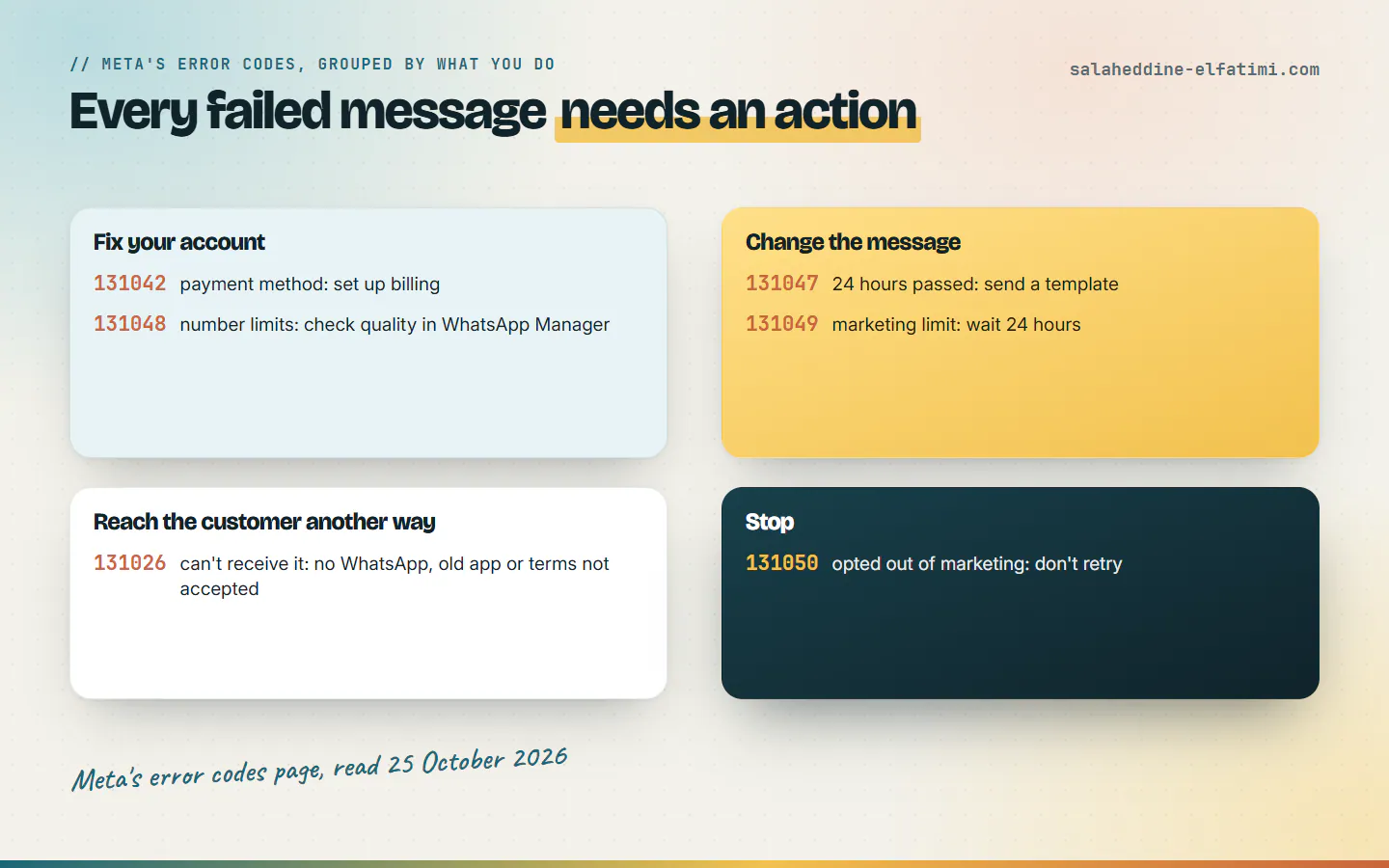
Meta lists the reasons on its error codes page. These are the ones a small business meets most, with Meta's own words:
| Code | What Meta says | What it means for you |
|---|---|---|
| 131042 | "There was an error related to your payment method." | Billing isn't set up, or the card failed. Fix the payment method. |
| 131047 | "More than 24 hours have passed since the recipient last replied" | The free-form reply window is closed. Send an approved template instead. |
| 131026 | "Unable to deliver message." | The number isn't on WhatsApp, or the customer hasn't accepted WhatsApp's new terms or runs an old version. |
| 131049 | "This message was not delivered to maintain healthy ecosystem engagement." | Meta's per-user limit on marketing templates. Wait at least 24 hours before resending. |
| 131048 | "restrictions on how many messages can be sent from this phone number" | Your number's limits or quality. Check WhatsApp Manager. |
| 131050 | "chosen to stop receiving marketing messages" | The customer opted out. Don't retry. |
Two of these are quiet killers for reminders and confirmations: 131042, because it stops everything at once, and 131047, because a reminder sent the day after a conversation no longer fits in the 24-hour window unless it's a template.
The payment method trap since 1 October 2026#
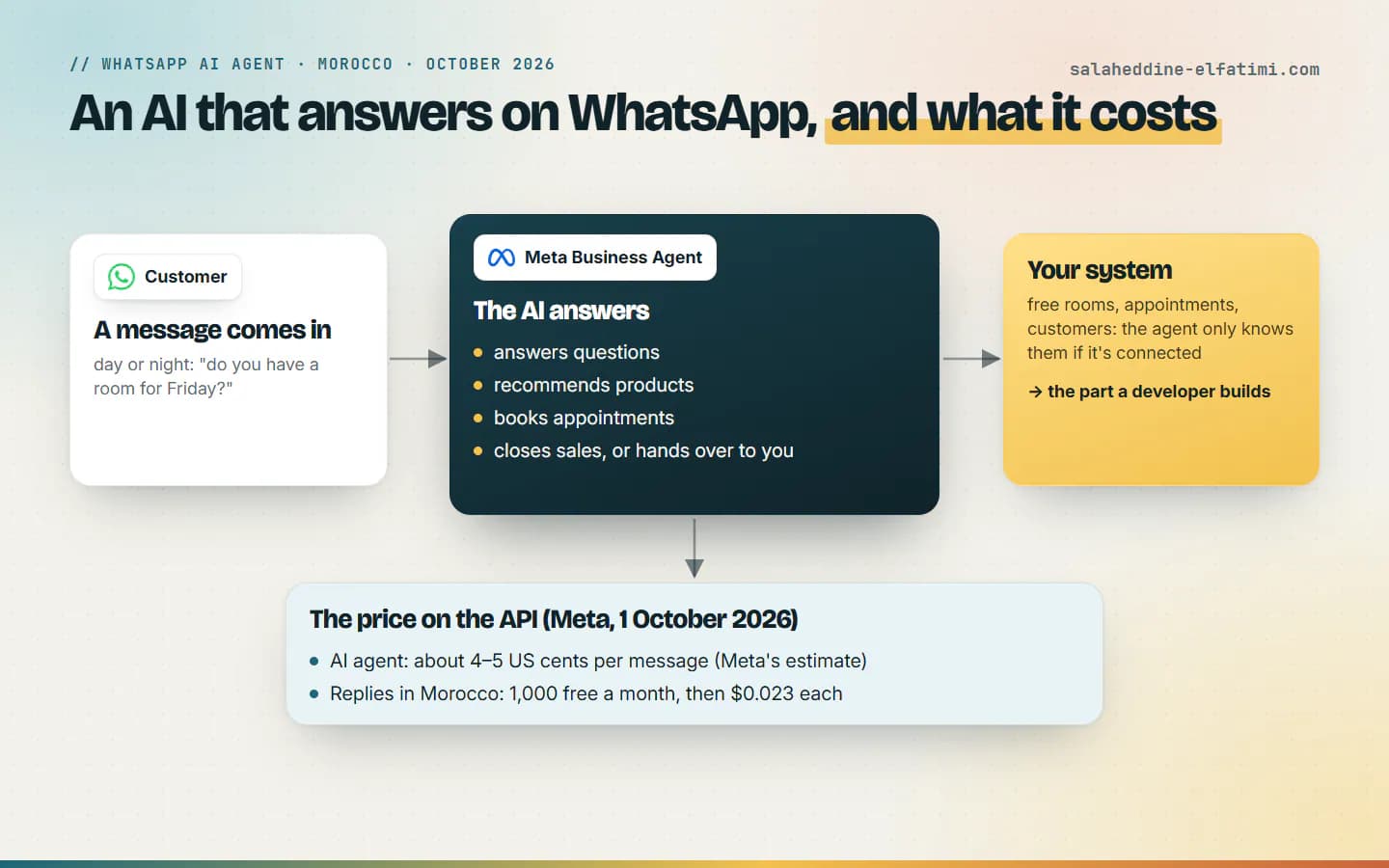
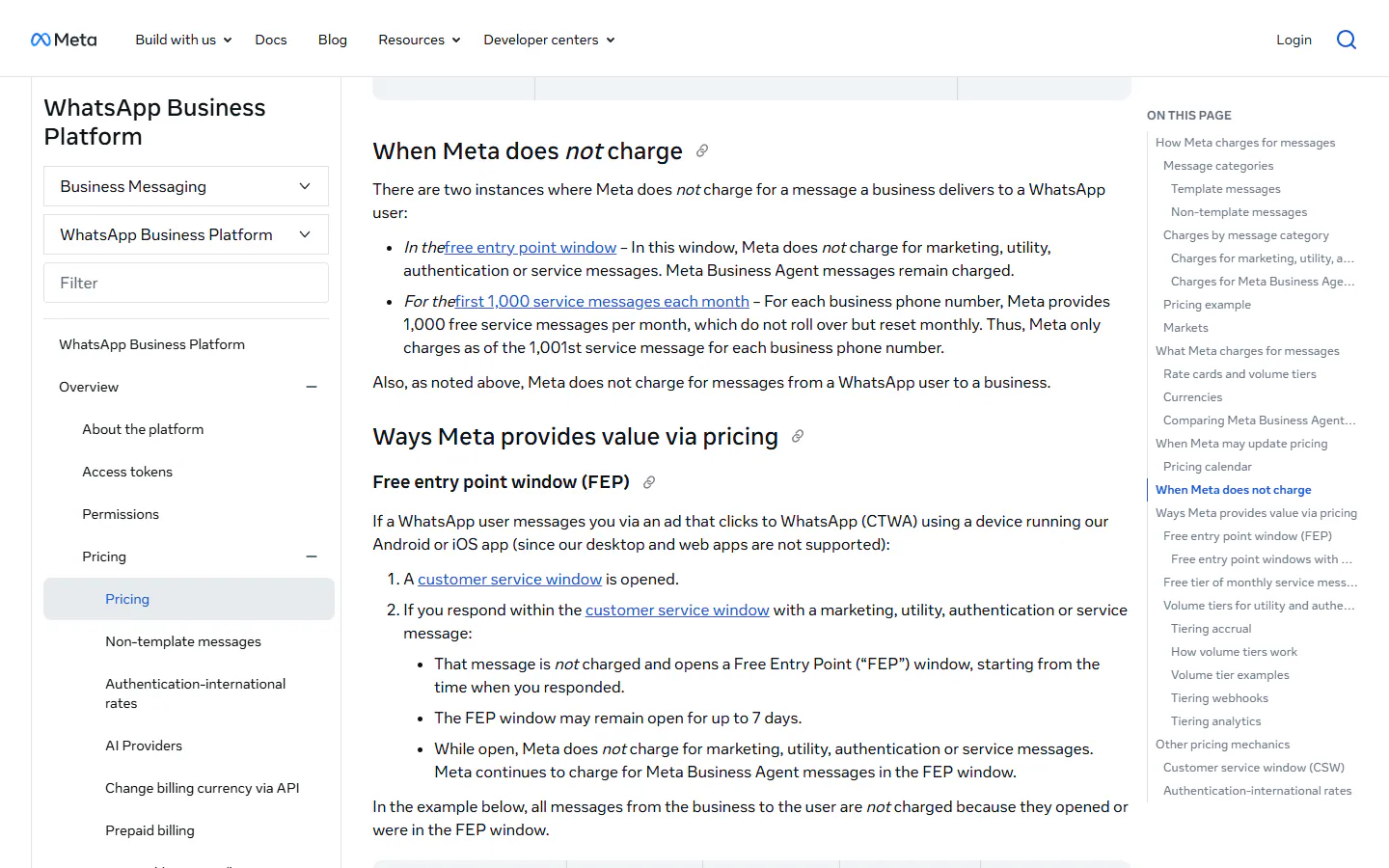
On 1 October 2026, Meta started charging again for service messages, the replies you send within 24 hours of a customer's message. Its pricing page gives each business phone number 1,000 free service messages a month, and charges from the 1,001st. In Morocco, a service, utility or authentication message now costs $0.023 once delivered.
The sentence that matters is further down the same page: if a business has no payment method, Meta delivers service messages within the free tier but not after it. So everything works perfectly for the first 1,000 replies of the month, and then: WhatsApp message not delivered, with nothing on screen to say so. For a busy riad or clinic, that can happen in the middle of the month, on a Tuesday, at the worst moment.
I explained the new rates, and why Morocco now pays almost 6 times the "Rest of Africa" price, in the WhatsApp AI agent and WhatsApp's prices in Morocco.
Why does nobody notice?#
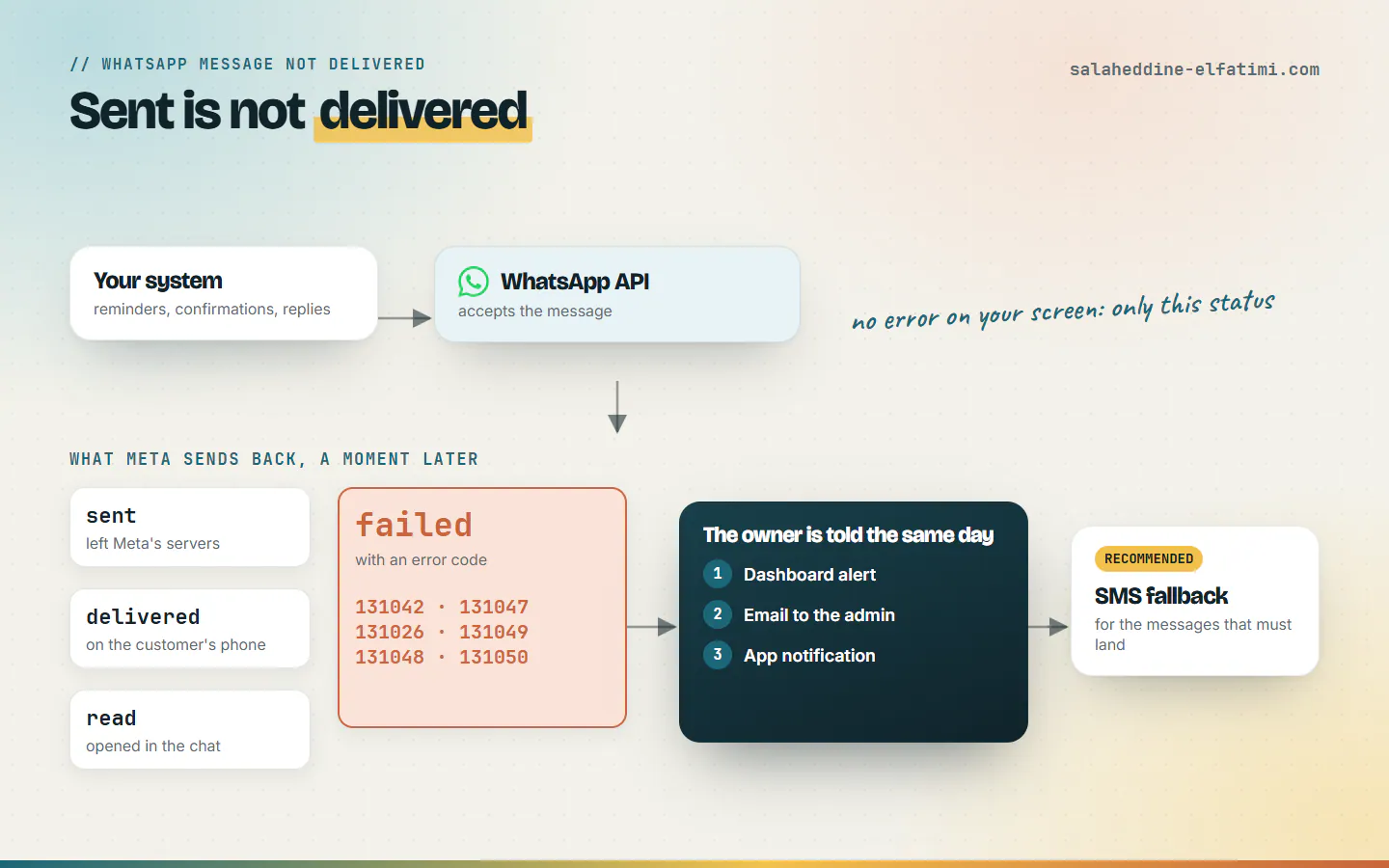
Because sending and delivering are two different steps. When your system sends a message, the API accepts the request. Whether it reaches the customer's phone is decided afterwards, and the answer comes back separately, as a webhook: a small notification Meta posts to your server.
If nobody stores and reads those notifications, a WhatsApp message not delivered goes unnoticed. The system thinks its job is done, the owner thinks the reminders went out, and the customer never got one. Meta only charges for delivered messages, so the bill doesn't warn you either: a failed message simply costs nothing.
How do you know if a WhatsApp message was delivered?#
Meta's status webhook reference gives every outgoing message up to three statuses, plus one for failures:
- sent: the message left Meta's servers.
- delivered: it reached the customer's phone.
- read: the customer opened it in the chat.
- failed: it couldn't be sent or delivered. Only then does Meta add an errors object, with the code from the table above, a title and a link to its documentation.
So the rule is simple: save every status next to the message it belongs to, so a WhatsApp message not delivered shows up somewhere a person looks. A reminder that says "failed", or one that is still only "sent" long after it should have arrived, is a reminder that needs a person.
What to set up so it never surprises you#
- Store the statuses. Each message in your system keeps its latest status and, on failure, Meta's error code.
- Alert a person on failure. Not a log line nobody reads: a message the owner sees the same day.
- Check the payment method. Add one in Meta's billing settings now, before you pass 1,000 replies in a month.
- Use templates outside the 24-hour window. Reminders and confirmations sent the next day need an approved utility template.
- Keep an SMS fallback for what has to land. WhatsApp message not delivered? Send the same text by SMS.
Which messages need an SMS fallback?#
Not all of them. A promotion that doesn't arrive is a missed chance. These ones are a missed customer:
- appointment reminders (a clinic, a salon, a school's first class),
- booking and order confirmations (a riad's arrival details, a paid order),
- login and verification codes.
For those, a failed WhatsApp status should send an SMS automatically, and still tell the owner. For marketing messages, don't: a customer who opted out (131050) asked not to be contacted, and SMS doesn't change that.
How I handle it in the systems I build#
In the WhatsApp AI agent platform I build for businesses, delivery is watched for every message. When a message isn't delivered, or a customer is left without a reply, the owner is told straight away, three ways: an alert in the dashboard, an email to the admin, and a push notification in the mobile app. The owner hears about it before the customer gets angry, not after.
SMS fallback for the critical messages isn't built yet: it's the next piece on my list, and the one I'd recommend to anyone who sends reminders or confirmations on WhatsApp.
If your business sends reminders or confirmations on WhatsApp and you want to be sure they arrive, that's the kind of customer system connected to WhatsApp I build. Tell me how you send them today, and we'll see what's missing.
Frequently asked questions
Why is my WhatsApp Business API message not delivered?+
The usual reasons are a missing or failed payment method (error 131042), the 24-hour reply window being closed (131047), a number that can't receive WhatsApp messages (131026), Meta's limits (131049, 131048) or a customer who opted out of marketing (131050).
What happens without a payment method on WhatsApp Business Platform?+
Since 1 October 2026, each business number gets 1,000 free service messages a month. Without a payment method, Meta delivers those but stops delivering service messages once the free tier is used.
How do I know if a WhatsApp message was delivered?+
Meta sends a status webhook for each outgoing message: sent, delivered, read, or failed. A failed status includes an errors object with the code and a title. Your system has to store these and alert someone on failure.
Should I send an SMS when WhatsApp fails?+
For messages that have to arrive, yes: appointment reminders, booking or order confirmations and verification codes. Not for marketing messages, especially to a customer who opted out.

Written by
Full Stack Developer & Web Marketer · Marrakech, Morocco
I build modern, scalable web applications end to end, from frontend to backend, with a focus on performance, clean code and user experience.