- AI
- Anthropic
- Dev news
What is Claude Code? Anthropic's AI coding agent, explained
Claude Code is Anthropic's agentic coding tool: it reads your project, edits files, runs commands and checks its work. How it works, how to install it, what it costs, and where it goes wrong.
On this page
- What is Claude Code?
- How does Claude Code work?
- The CLAUDE.md file: memory for your project
- Where does Claude Code run?
- How do you install Claude Code?
- Is Claude Code free?
- What's new in Claude Code (August to October 2026)
- How I use Claude Code on this website
- Vibe coding, and where it goes wrong
- My advice for starting with Claude Code
- Want a site built this way?
- Frequently asked questions
Key takeaways
- Claude Code is Anthropic's agentic coding tool: it reads your codebase, edits files, runs commands and checks its own work, in the terminal, VS Code (and Cursor), JetBrains, desktop, web and mobile.
- It works in a loop of three phases from Anthropic's docs: gather context, take action, verify results, and you can interrupt and steer at any point.
- It isn't free: it's included from Pro ($17 a month billed annually, $20 monthly), Max starts at $100, and a Console account pays per token; usage limits apply.
- On this site, 73 of 300 commits are co-authored with Claude, and every change is reviewed before it goes in: the studies on vibe coding show why.
What is Claude Code? It's Anthropic's agentic coding tool: instead of handing you code to copy, it reads your codebase, edits files, runs commands and checks its own work, in your terminal, in VS Code or Cursor, in JetBrains, on the desktop or in the browser. It is not free: it comes with Claude's Pro plan ($17 a month billed annually, $20 monthly) and up, or pay-per-token with a Console account.
Below: what Claude Code is in plain words, how it works inside, where it runs, how to install it, what it costs, and where it goes wrong. I also share how I use it on this very website, with the numbers from its Git history. Facts come from Anthropic's product page, its docs and its pricing page, read on 24 October 2026.
What is Claude Code?#
You've probably pasted an error into a chatbot, copied the answer back into your editor, run it, and pasted the next error. Claude Code removes the copy-paste: it works inside your project folder, with the same files and terminal you use.
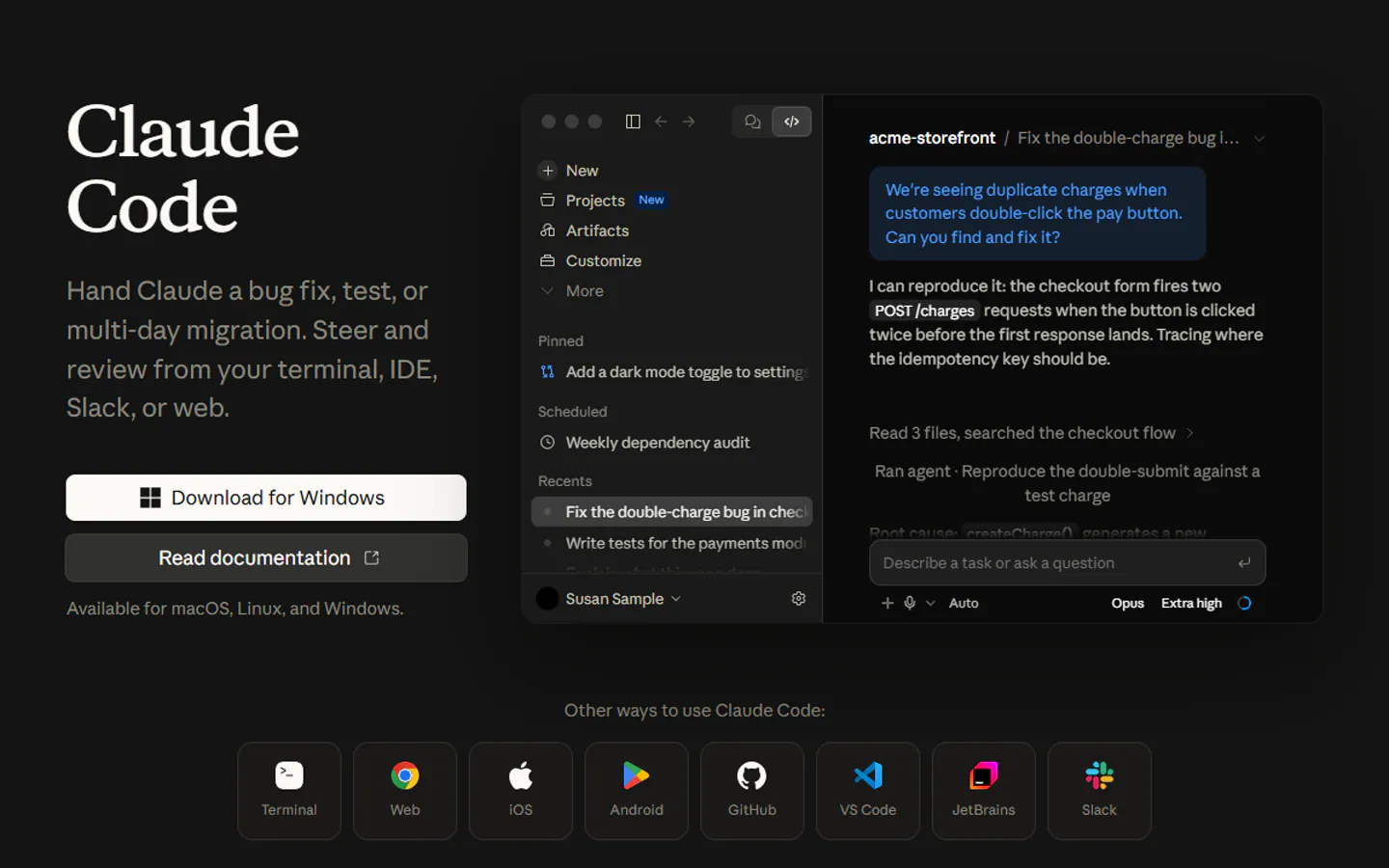
Claude Code is an agentic coding tool that reads your codebase, edits files, runs commands, and integrates with your development tools. Available in your terminal, IDE, desktop app, and browser.
Anthropic's product page pitches it as a teammate you hand work to: "a bug fix, test, or multi-day migration", which you steer and review from your terminal, IDE, Slack or the web. The docs point out the key difference with inline assistants: those only see the current file, while Claude Code sees the whole project.
How does Claude Code work?#
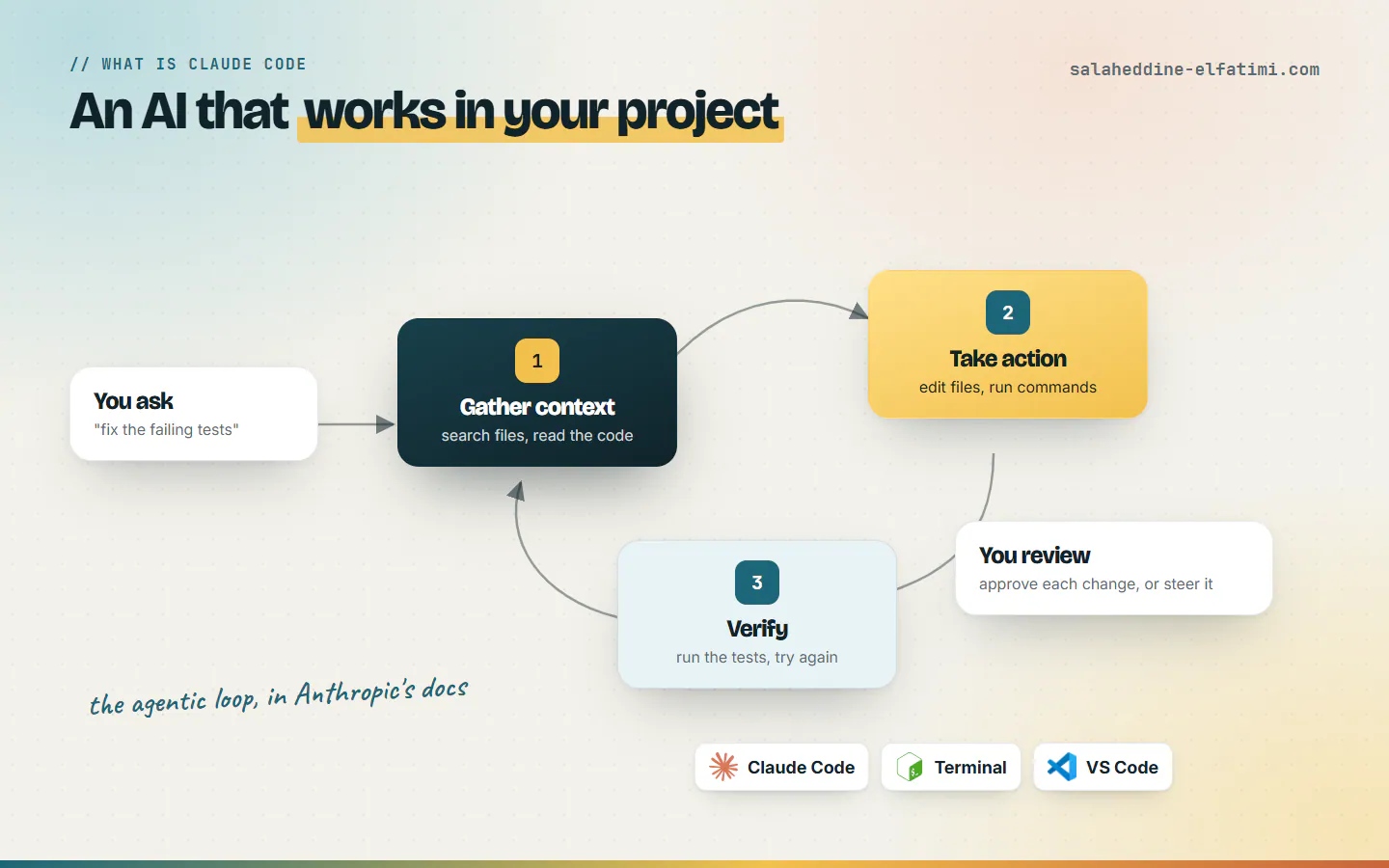
The docs describe an agentic loop in three phases that blend together:
- Gather context. It searches the files, reads the code and works out how the project fits together.
- Take action. It edits files and runs commands: tests, Git, a dev server, a build.
- Verify results. It runs the tests again; if they still fail, it goes back and tries another fix.
For "fix the failing tests", Anthropic's example goes: run the test suite, read the error output, search for the relevant files, read them, edit them, run the tests again. You stay in the loop: you can interrupt at any point and steer it ("no, keep the old API"). The model does the reasoning (Sonnet for most coding tasks, Opus for harder architectural ones, by the docs); the tools let it act on files, search, the shell, the web and code intelligence.
The CLAUDE.md file: memory for your project#
One file makes a big difference: CLAUDE.md, a markdown file at the root of your repo with the project's instructions and conventions. Claude Code reads it at the start of every session, so you write your rules once instead of repeating them every morning. A short example:
# CLAUDE.md
- Next.js + Prisma, TypeScript
- Don't run npm run build
- Check with: npx tsc + eslint
- Answer in English
If your repo already has an AGENTS.md for other coding agents, Claude Code can read that instead.
Where does Claude Code run?#
- Terminal on macOS, Linux and Windows: the full-featured version.
- VS Code through a native extension, which also works in Cursor and Devin Desktop; and a JetBrains extension.
- Desktop app, web, iOS and Android, plus Slack and GitHub for kicking off tasks and reviews.
So what is Claude Code on each surface? The same engine everywhere, so your CLAUDE.md, settings and connected tools follow you from one to the other.
How do you install Claude Code?#
From the docs, one line in a terminal. On Windows PowerShell:
irm https://claude.ai/install.ps1 | iexOn macOS, Linux or WSL:
curl -fsSL https://claude.ai/install.sh | bashThen open your project and start it. The first time, it asks you to log in:
cd your-project
claude
Is Claude Code free?#
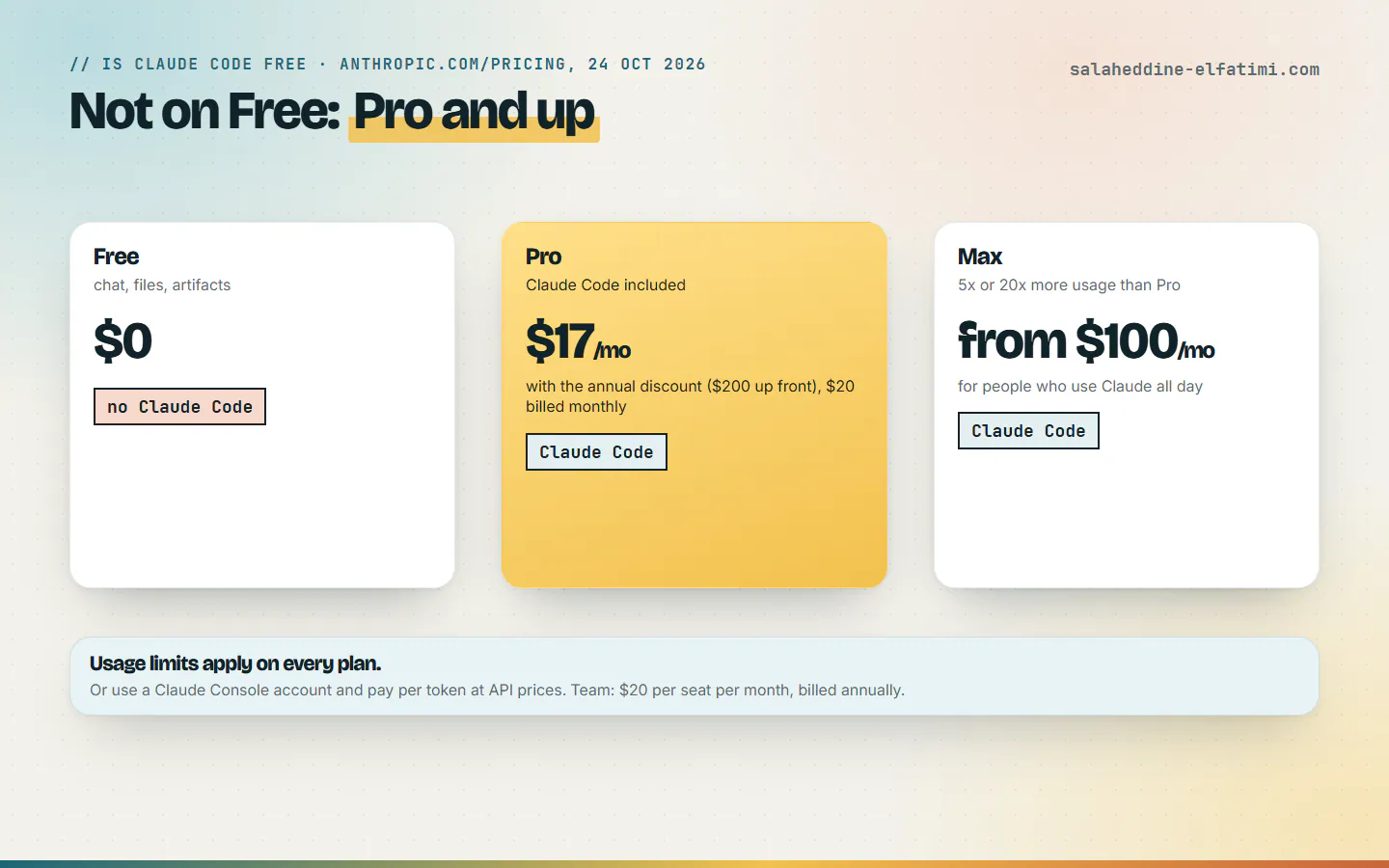
No. On Anthropic's pricing page, the Free plan doesn't include Claude Code. Your options, as of 24 October 2026:
- Pro: Claude Code included, $17 a month with the annual discount ($200 billed up front), or $20 billed monthly.
- Max: from $100 a month, with 5x or 20x more usage than Pro, for people who work with Claude all day.
- Team: $20 per seat per month billed annually, for teams of 2 to 150.
- Console account: no subscription; Claude Code uses API tokens at standard API prices.
Usage limits apply on every plan. If you use it heavily you will hit them, which is the real difference between Pro and Max.
What's new in Claude Code (August to October 2026)#
- Auto mode by default (7 August) on Pro, Max and Team, so it can work longer while, in Anthropic's words, still being designed to catch risky commands.
- Projects (17 September) on the desktop app, to run and supervise several Claude agents at once.
- Code Review (15 October), generally available for Team and Enterprise, to catch bugs before they reach production.
How I use Claude Code on this website#
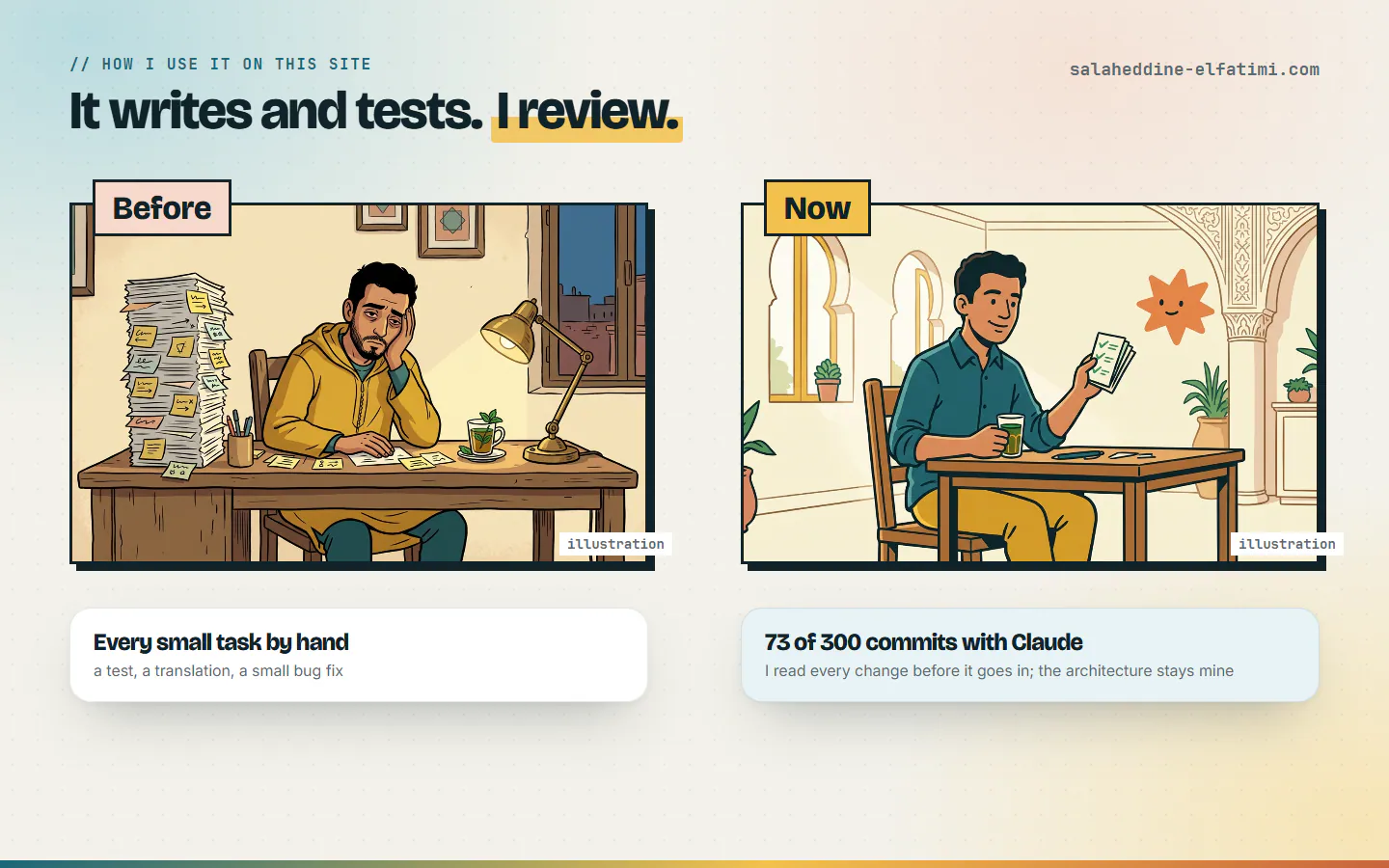
This site started on 26 February 2026. Its Git history has 300 commits, and 73 of them are co-authored with Claude. The repo has a CLAUDE.md and 77 skills in .claude/skills, some written for this site (the explainer-video tool, the blog SEO checker, translations), others installed. The video that goes with this post was made with that video tool.
What changed for me is where the time goes. Before, every small job ate an evening: a test, a translation, a small bug. Now I describe the task, Claude Code writes and runs it, and I read every change before it goes in. I still decide how the site is built; it speeds up the typing and the checking, it doesn't think for me.
Vibe coding, and where it goes wrong#
The word you'll hear next to Claude Code is vibe coding: describing what you want to an AI and accepting the code it writes, sometimes without reading it. Andrej Karpathy coined the term in February 2025, and Collins English Dictionary made it its Word of the Year for 2025.
Fully give in to the vibes, embrace exponentials, and forget that the code even exists.
It's fine for a weekend prototype. For a client's site, the reports collected on Wikipedia are worth reading:
- A December 2025 CodeRabbit analysis of 470 open-source pull requests found AI co-authored code had about 1.7 times more "major" issues.
- In METR's July 2025 randomized trial, developers were 19% slower with AI tools on 246 tasks, while believing they were faster.
- Also in July 2025, Replit's AI agent deleted a database despite instructions not to change anything.
Those are other people's findings, not mine, and tools have moved since. But they match what I see: the AI is fast, and it is confidently wrong often enough that you must read what it does.
My advice for starting with Claude Code#
- Read every change. Don't accept a line you don't understand.
- Keep tests. They catch the bug before your client does, and they give the agent a way to check itself.
- Write your rules in CLAUDE.md once. Stack, commands, what never to do.
- Keep the permission prompts at first. Claude Code asks before changing files or running commands; loosen it only once you trust what you see.
Want a site built this way?#
I use Claude Code as a fast pair, not as the architect: every change is read before it ships. If you want a website that is fast, well written and reviewed line by line, that's what I build. For more developer news explained simply, see TypeScript 7, rewritten in Go or Next.js vs TanStack Start. And to talk about your project, get in touch.
Frequently asked questions
What is Claude Code?+
Claude Code is Anthropic's agentic coding tool. Instead of only answering in text, it reads your codebase, edits files, runs commands such as tests and Git, and checks its own work. It runs in the terminal on macOS, Linux and Windows, in VS Code, Cursor and JetBrains, in a desktop app, on the web and on mobile.
Is Claude Code free?+
No. Claude's Free plan doesn't include Claude Code. It's included in Pro ($17 a month with the annual discount, $20 billed monthly), Max (from $100 a month) and Team and Enterprise plans, or you can use a Claude Console account and pay for API tokens. Usage limits apply.
How do I install Claude Code?+
On Windows PowerShell run irm https://claude.ai/install.ps1 | iex; on macOS, Linux or WSL run curl -fsSL https://claude.ai/install.sh | bash. Then open your project folder, type claude, and log in the first time.
Does Claude Code work in Cursor?+
Yes. Anthropic's VS Code extension also works in Cursor and Devin Desktop, and there is a separate extension for JetBrains IDEs.
Is Claude Code the same as vibe coding?+
No. Vibe coding is a way of working, describing what you want to an AI and accepting its code, sometimes without reading it. Claude Code is a tool you can use that way or carefully, with tests, a CLAUDE.md file of rules and a review of every change.

Written by
Full Stack Developer & Web Marketer · Marrakech, Morocco
I build modern, scalable web applications end to end, from frontend to backend, with a focus on performance, clean code and user experience.