- Multilingual
- SEO
- Morocco
- Next.js
Multilingual website: how to rank in French, Arabic and English
How to structure a multilingual website so each language ranks on Google: one URL per language, hreflang, keywords researched per language, right to left for Arabic and a switch that keeps the page.
On this page
- What is a multilingual website, and why isn't a translate button enough?
- Which URL structure should a multilingual website use?
- What is hreflang and how does it link the pages?
- Should you translate the words or the searches?
- What changes for Arabic, besides the words?
- How should the language switch work?
- What should a multilingual website avoid?
- What do I check before a multilingual site goes live?
- Does every business need three languages?
- Planning a website in French, Arabic and English?
- Frequently asked questions
Key takeaways
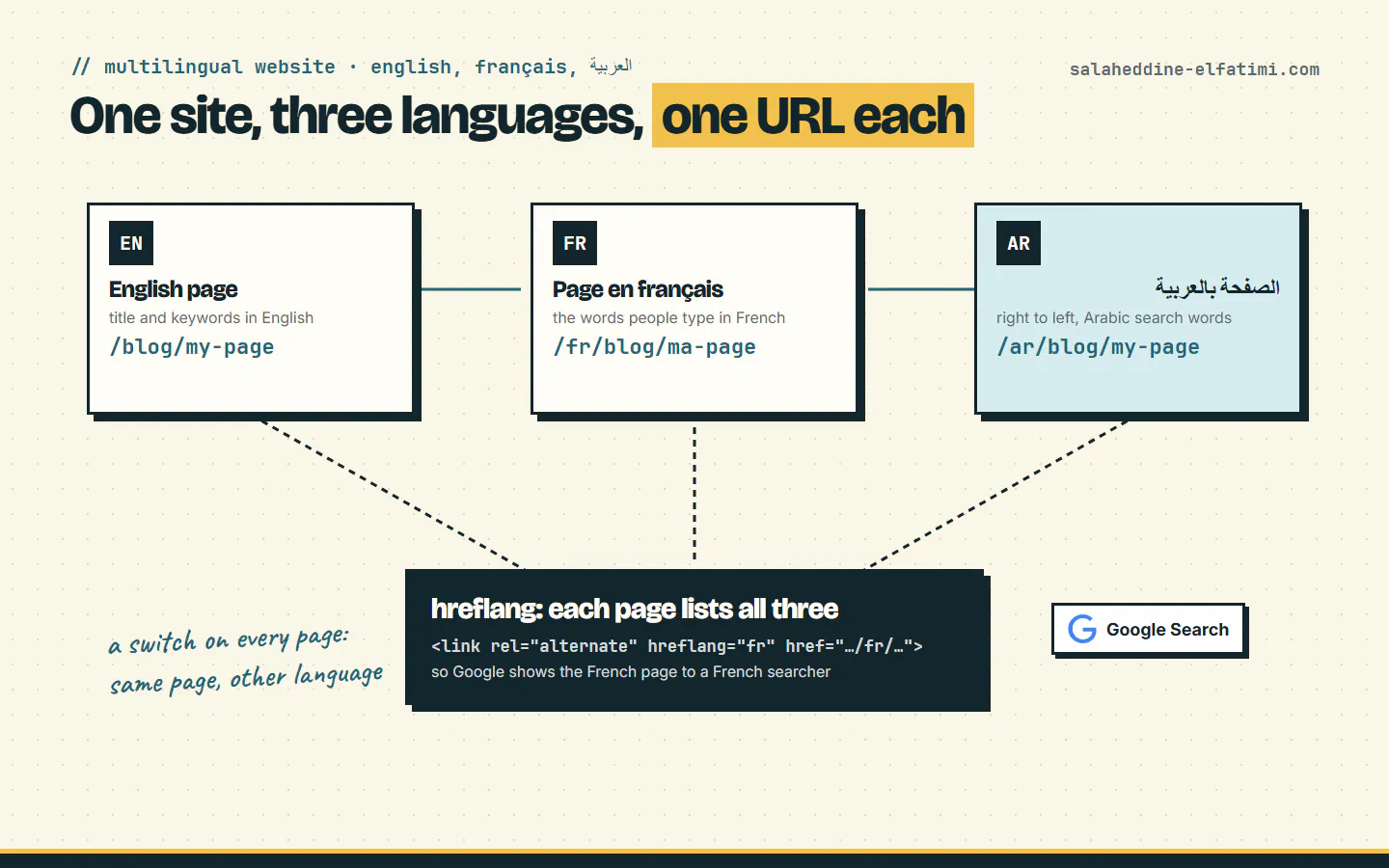
- Give each language its own URL, such as /, /fr and /ar: Google recommends separate URLs over cookies or browser settings.
- Link the versions with hreflang: each page lists itself and every other version, and links must go both ways or Google ignores them.
- Research keywords in each language: in Morocco, people search for web services in French, and in standard Arabic typed without hamzas.
- Avoid translate widgets, pages mixing two languages and automatic redirects; give visitors a switch that lands on the same page.
A multilingual website ranks in every language when each language has its own URL (/, /fr, /ar), each page points to its translations with hreflang tags, and each version uses the words people actually type in that language. A translate button on top of one page does none of that. Here is how I structure a site in French, Arabic and English, using this very site as the example.
What is a multilingual website, and why isn't a translate button enough?#
Sooner or later, a business owner asks: "Can't we just add the Google Translate button? It's free." It is free. It's also a bit like handing your customers a pocket dictionary at the door: they can work it out, but Google never sees the French or Arabic version at all.
Google's own definition is simple: a multilingual website is "any website that offers content in more than one language". The same page then gives the rule that matters: "Google recommends using different URLs for each language version of a page rather than using cookies or browser settings to adjust the content language on the page."
The reason is practical. Google explains that its crawler "usually originates from the USA" and "sends HTTP requests without setting Accept-Language in the request header." A widget that translates the page in the visitor's browser, or a site that switches language by itself, shows Google one version. The other two don't exist for search.
Which URL structure should a multilingual website use?#
Each language gets its own address. Google lists four options: a country domain (example.de), a subdomain (de.example.com), a subfolder (example.com/de/) or a URL parameter (site.com?loc=de). It marks the parameter "Not recommended" and describes subfolders as easy to set up and low maintenance, on the same host.
Subfolders are what I use for business sites in Morocco. Four real examples:
- This site: English at /, French at /fr, Arabic at /ar. English is the original, so it keeps the original URLs.
- Explorem, a nurse recruitment agency in Marrakech: English, Arabic and German at /en, /ar and /de. I wrote up the build in the Explorem recruitment agency website case study.
- Schoolaris, an online tutoring platform for Moroccan pupils: French, Arabic and English at /fr, /ar and /en, with French as the default.
- Polypro Academy, a language-learning platform: English, French and Arabic at /en, /fr and /ar.
Notice the default changes with the audience. Schoolaris talks first to Moroccan parents, so French leads; this site started in English, so English leads.
What is hreflang and how does it link the pages?#
hreflang is a short line in the page's code that says "this page also exists in French, here; and in Arabic, here". Visitors never see it. Google uses it, in its own words, to understand "that these pages are localized variations of the same content" and point each searcher to the right one.
Here is what the French home page of this site sends, word for word:
<link rel="alternate" hreflang="en" href="https://salaheddine-elfatimi.com"/>
<link rel="alternate" hreflang="fr" href="https://salaheddine-elfatimi.com/fr"/>
<link rel="alternate" hreflang="ar-MA" href="https://salaheddine-elfatimi.com/ar"/>
<link rel="alternate" hreflang="x-default" href="https://salaheddine-elfatimi.com"/>
Three rules from Google's hreflang guide do most of the work:
- "Each language version must list itself as well as all other language versions." The English, French and Arabic pages carry the same set of lines.
- "If two pages don't both point to each other, the tags will be ignored." A link from French to Arabic only counts if Arabic links back.
- x-default names the page for everyone else. Here, it's the English one.
The Arabic version is marked ar-MA, Arabic for Morocco, because it's written for Moroccan readers. And a page lists only the translations that exist: the Arabic post on creating an e-learning platform in Morocco lists only the versions that are published: itself and its French twin. A link to a missing page is worse than no link.
Should you translate the words or the searches?#
The searches. This is where most multilingual websites lose their traffic: the text is translated well, but nobody types the translated title into Google.
Take this site's home page. Its three titles are not translations of each other. Each one carries the phrase people search in that language:
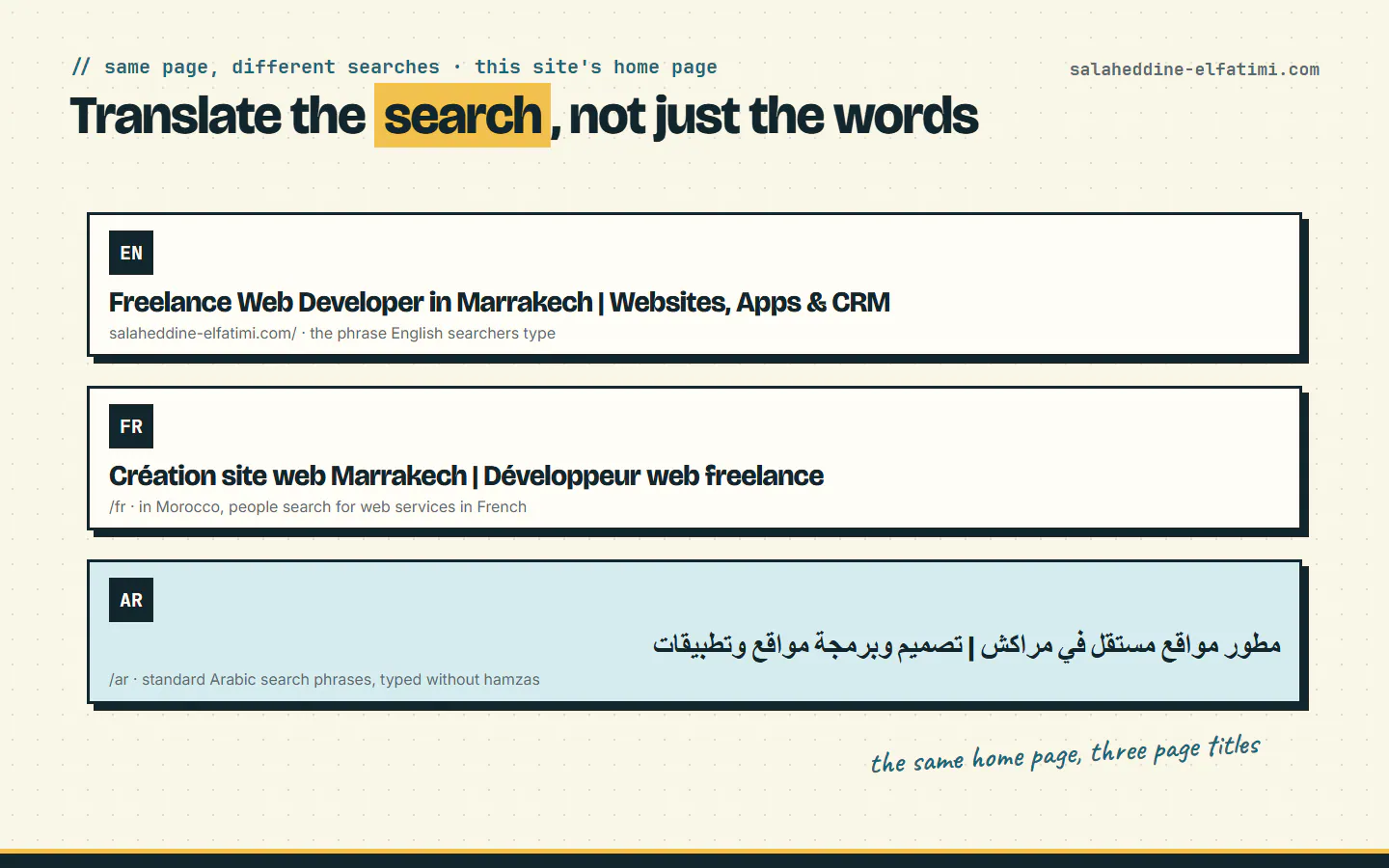
- French: in Morocco, people look for web services in French. When I researched this site's keywords, "création site web marrakech" and "création site web maroc" came up on two and three search engines. So the French title starts with "Création site web Marrakech", not with a translation of "freelance web developer".
- Arabic: Moroccans search for services in standard Arabic, not in Darija, and they skip the hamzas: they type "انشاء موقع الكتروني", not "إنشاء موقع إلكتروني". The visible text is written correctly; the keyword follows what people type.
- English: "freelance web developer", which came up on three engines.
The URL follows the same logic. The English post how to hire a web developer in Morocco has a French twin at /fr/blog/developpeur-web-maroc: French words in the French address. For Arabic I keep English words in the slug. Google says localized words in the URL are fine, but an Arabic slug turns into a long string of percent signs when someone pastes it into WhatsApp.
What changes for Arabic, besides the words?#
The whole page turns around. Arabic reads right to left, so the menu, the columns, the arrows and the text alignment flip with it. On this site and on Schoolaris, the Arabic pages declare it on the whole document, with lang="ar" dir="rtl", so the browser mirrors the layout instead of just the sentences.
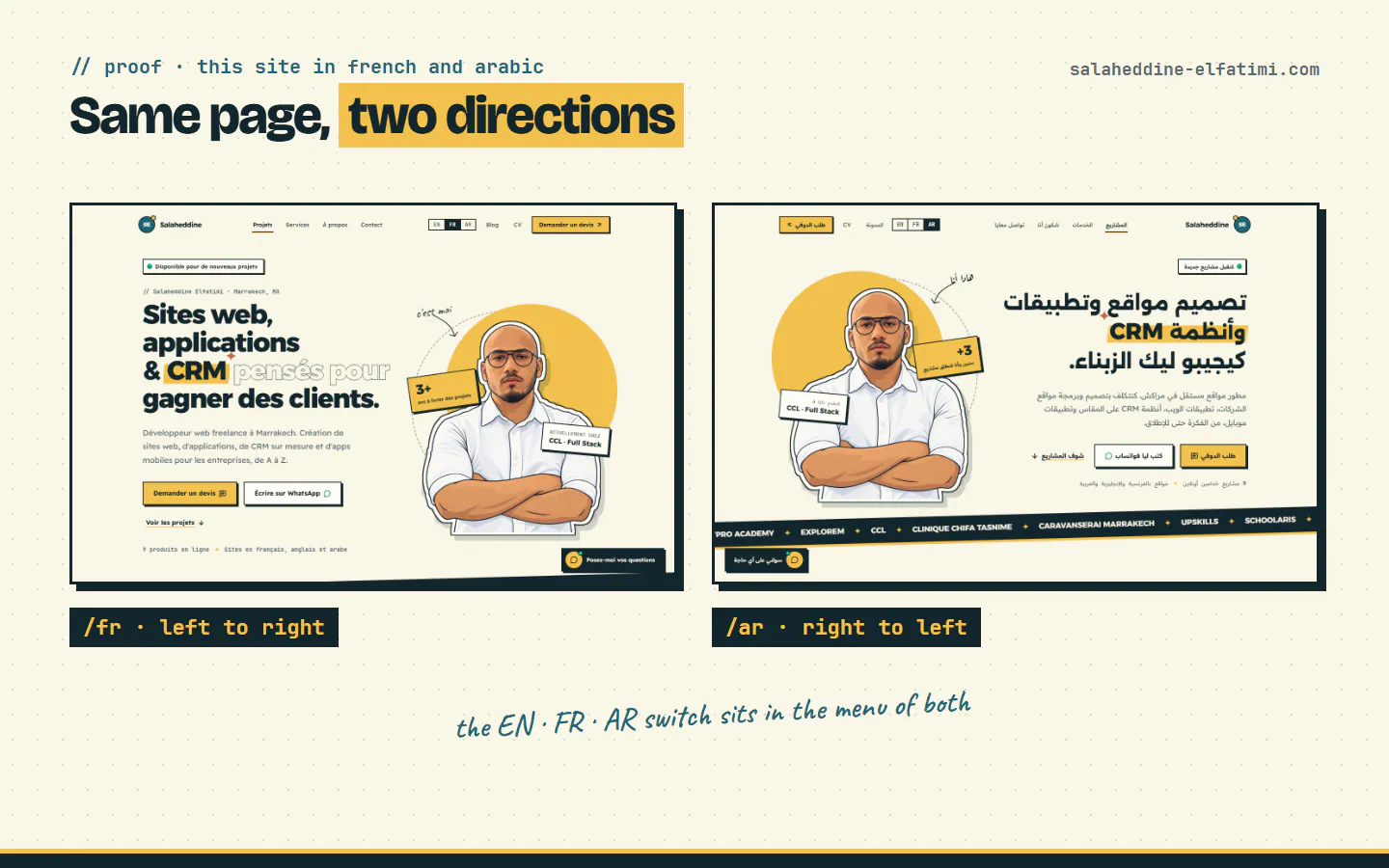
A few details still need care by hand: phone numbers, emails and links stay left to right inside Arabic text, or they come out reversed. The visual side of Arabic design (fonts, spacing, mirrored icons) deserves its own post; here, the point is that it's planned from the start, not patched after launch.
How should the language switch work?#
A visitor reading your French pricing page clicks "AR". They should land on the Arabic pricing page, not on the Arabic home page, left to find their way back. That is the whole test of a multilingual website switch.
Google asks for the same thing from the other side: avoid automatically redirecting users from one language version to another, and consider adding links to the other language versions of a page so users can choose. This site follows both. It never redirects by browser language, and the EN · FR · AR switch links to the current page in each language, even when the slugs are different, like the hiring post above.
What should a multilingual website avoid?#
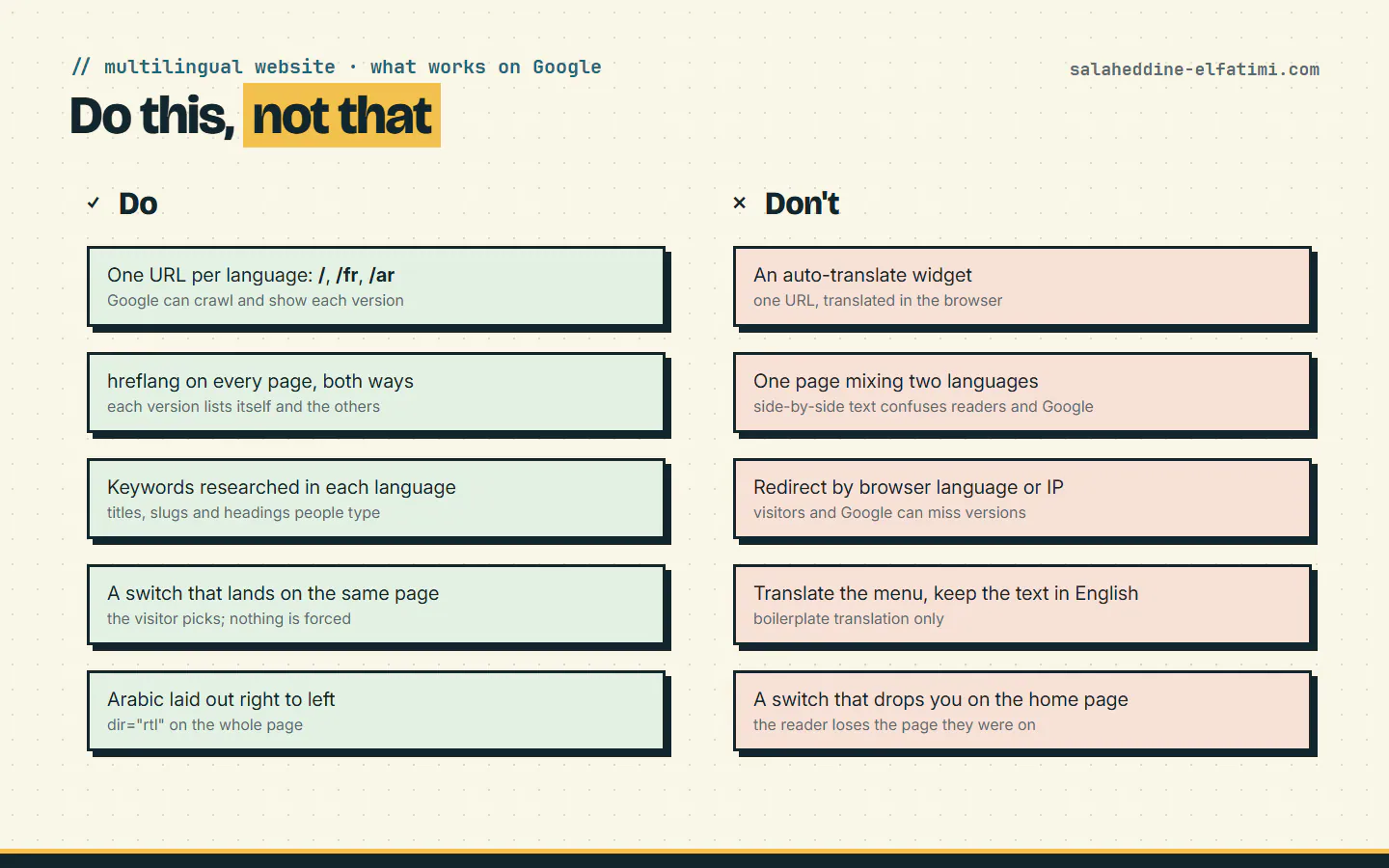
- Auto-translate widgets. One URL, translated in the browser. Google crawls the original only, and the machine translation of your service names can be creative.
- One page mixing two languages. Google decides a page's language from what's visible on it and recommends "using a single language for content and navigation on each page, and by avoiding side-by-side translations". A paragraph in French followed by the same paragraph in Arabic helps no one.
- Translating only the menu. Google warns that translating only the boilerplate while the content stays in one language "can create a bad user experience".
- Guessing the language from the IP address. Google is direct about it: "Don't use IP analysis to adapt your content." A French expat in Marrakech still reads French.
What do I check before a multilingual site goes live?#
Two details decide which version Google shows, and they're easy to miss: each language version gets its own page title and description, written in that language, and each page lists itself in its own hreflang set, as Google's guide asks.
Small details, but they're exactly the ones that decide which version Google shows. That's why I check them on every site before it goes live.
Does every business need three languages?#
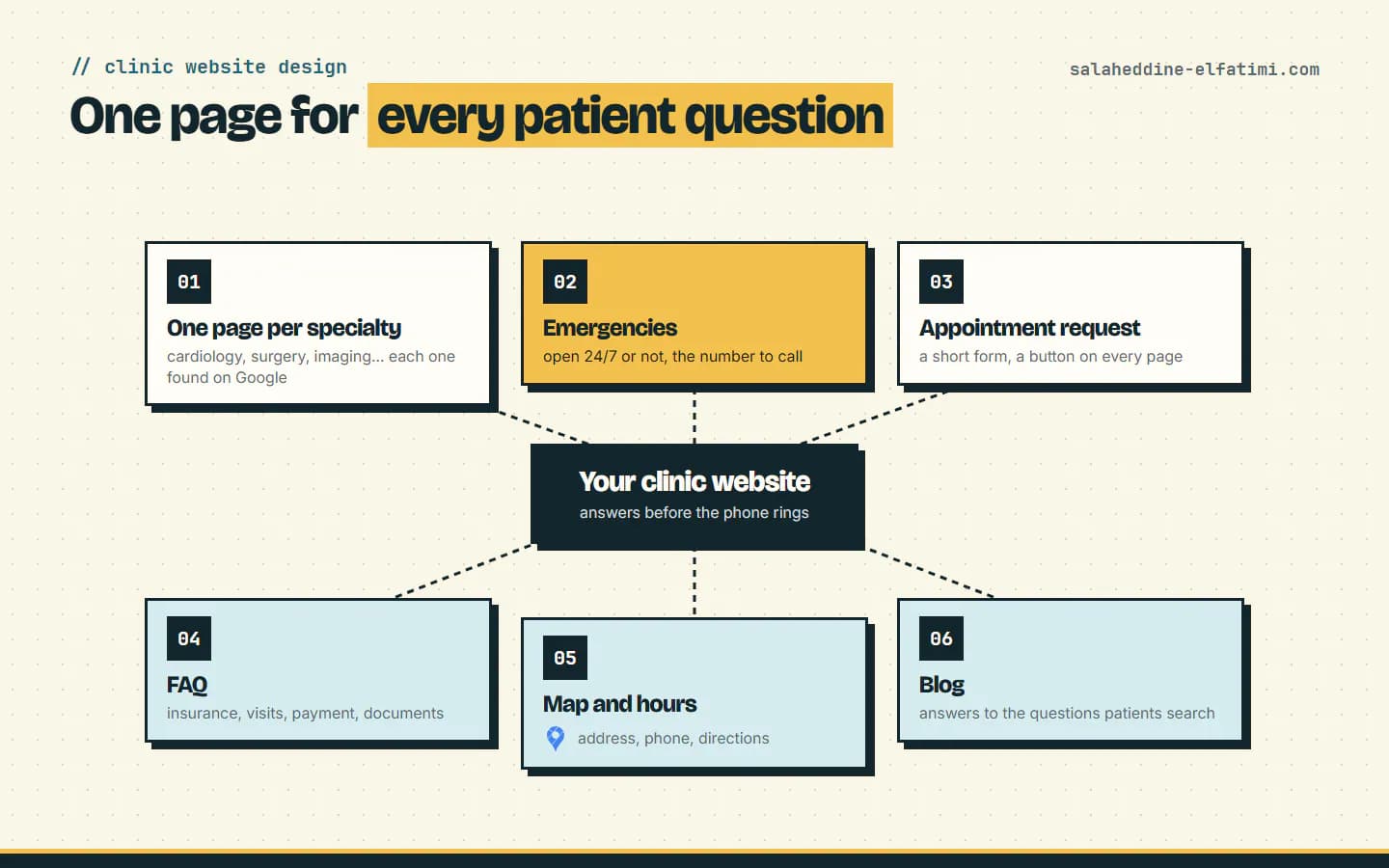
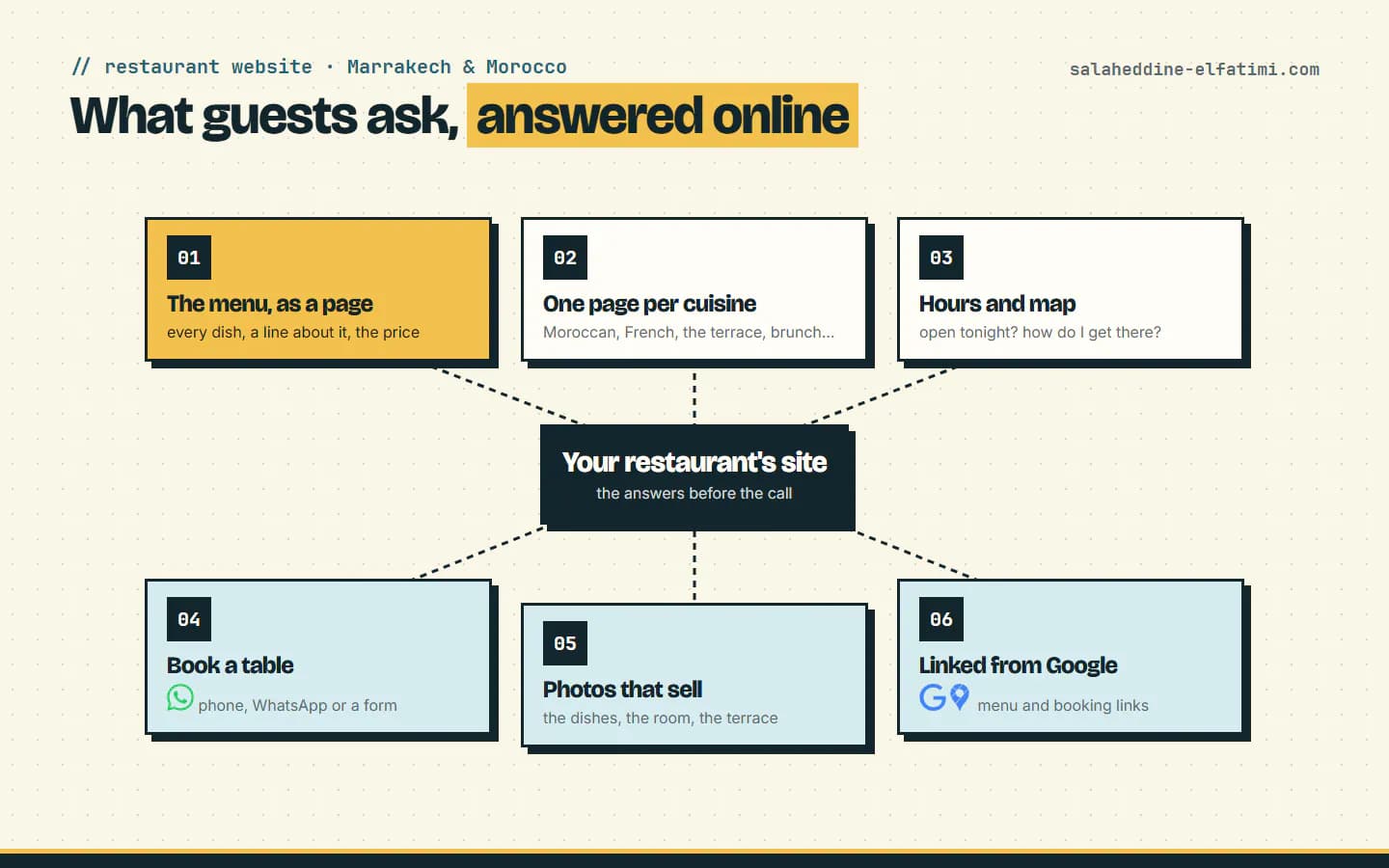
No. Start with the languages your clients read. A clinic in Marrakech often starts in French, as I explain in clinic website design; a restaurant in the medina may need English and French for tourists, as in restaurant websites in Morocco. Each added language is a full set of pages to write, research and keep up to date, not a checkbox.
Adding one later works, if the structure was ready. This site was English and French first; Arabic came after, under /ar, without changing a single English or French URL. Google's guide adds one tip for that moment: link the new language pages both ways with the original ones first.
Planning a website in French, Arabic and English?#
Tell me who your clients are and which languages they read, and I'll suggest the structure, the keywords to research in each language, and a quote. I build business websites in several languages, and you can ask for a quote here.
Frequently asked questions
What is a multilingual website?+
Google defines it as any website that offers content in more than one language. To rank in each language, every version needs its own URL, hreflang tags linking the versions, and text written for what people search in that language.
Is a Google Translate widget enough for a multilingual website?+
Not for search. A widget translates the page in the visitor's browser on the same URL, so Google only sees the original language. Separate URLs per language, with real translated text, are what Google recommends.
Should the French and Arabic versions have different URLs and slugs?+
Each language needs its own URL, like /fr and /ar. French slugs can use French words; for Arabic, I keep English words in the slug, because an Arabic slug becomes a long percent-encoded address when it's shared.
Can I add a language to my website later?+
Yes, if the structure has one URL per language from the start. This site added Arabic under /ar after English and French, without changing any existing URL. Link the new pages both ways with the original ones.

Written by
Full Stack Developer & Web Marketer · Marrakech, Morocco
I build modern, scalable web applications end to end, from frontend to backend, with a focus on performance, clean code and user experience.