- AI
- Next.js
- SEO
What is WebMCP? How AI assistants will use your website
WebMCP lets a website expose tools AI agents can call, like book_room or request_quote. What it is, WebMCP vs MCP, two code examples, and what it could change for businesses.

· 6 min read
Key takeaways
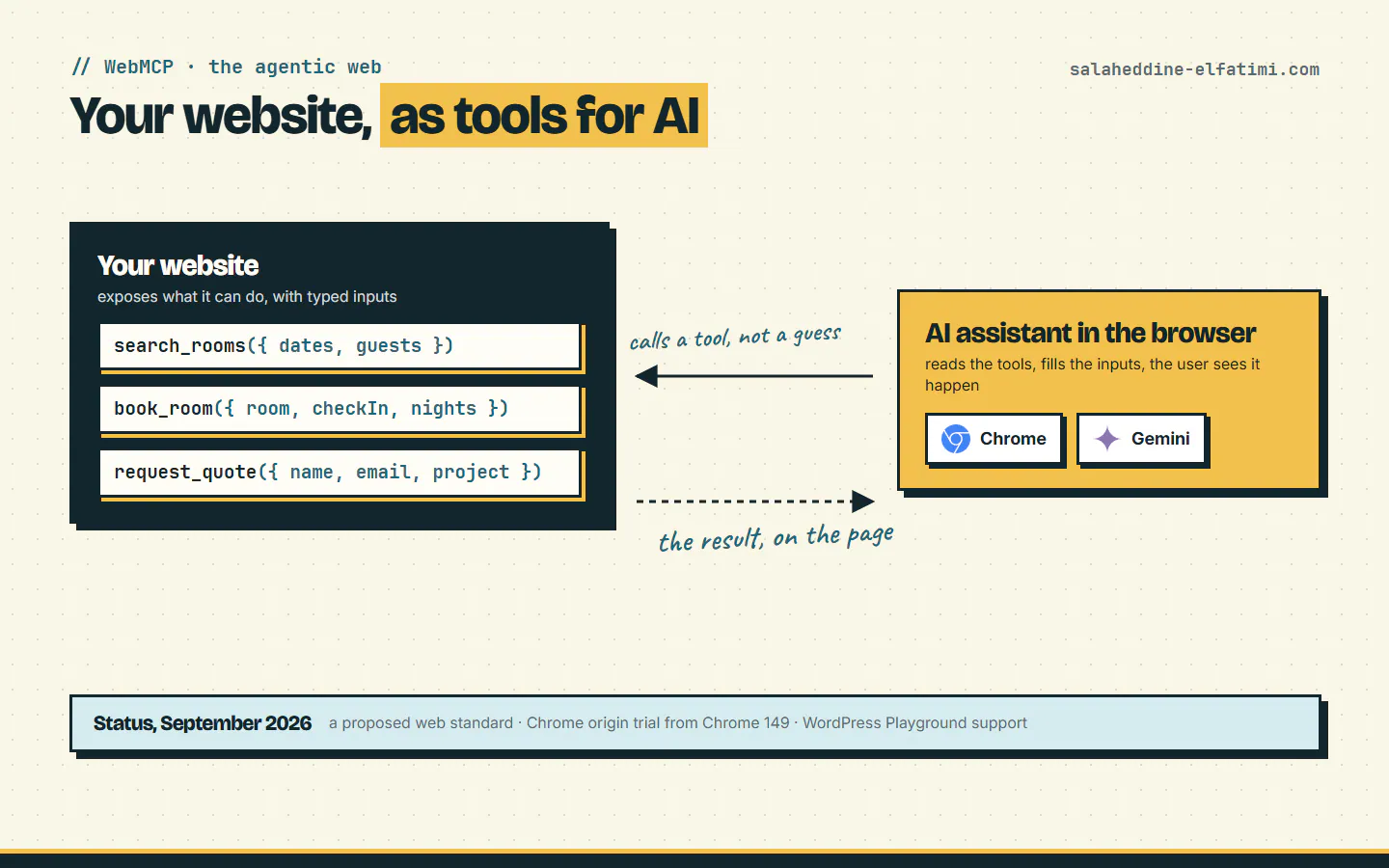
- 1WebMCP is a proposed web standard that lets a website expose named tools with typed inputs to AI agents in the browser.
- 2MCP connects AI apps to tools on a server; WebMCP puts the tools in the web page, used inside the visitor's open tab.
- 3There are two ways to build a tool: HTML form attributes (declarative) or document.modelContext.registerTool in JavaScript (imperative).
- 4Chrome runs an origin trial from Chrome 149; support is still narrow, so prepare your site's key actions rather than rushing to production.
WebMCP is a proposed web standard that lets a website tell AI agents what it can do. Instead of an assistant guessing which button books a room, your page offers named tools with clear inputs, like book_room({ checkIn, nights }), and the assistant in the visitor's browser calls them. Chrome opened a WebMCP origin trial from Chrome 149.
Here's what it is, how it differs from MCP, and what it could change for a hotel, a clinic or a school website in the next few years. I build websites and platforms for businesses in Morocco, so I'll keep it practical.
The problem WebMCP solves#
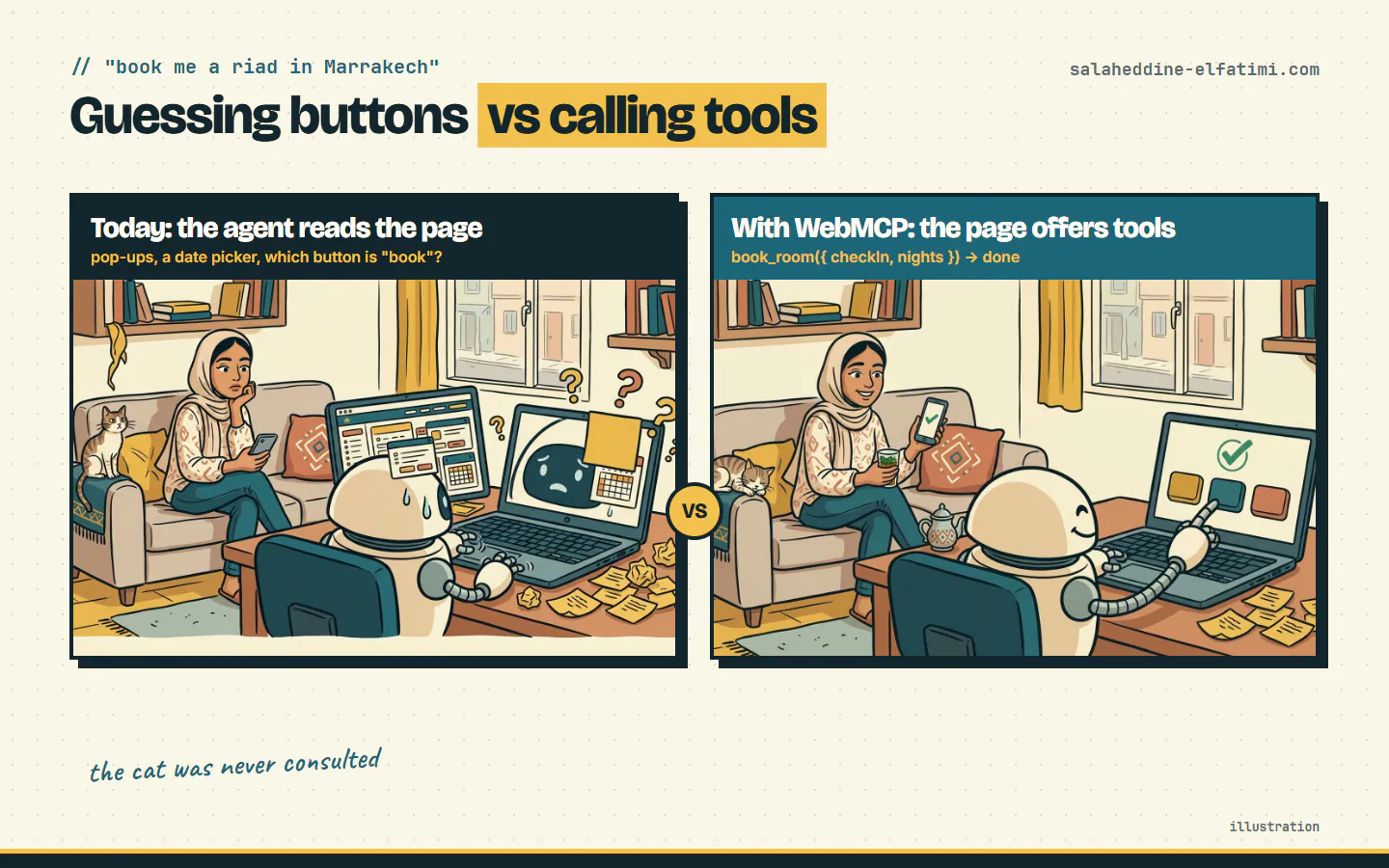
Picture it. You ask your AI assistant to book two nights in a riad in Marrakech. It opens the site, takes a screenshot, finds a cookie banner, closes it, finds a date picker, clicks the wrong month, and tries again.
That's how agents use most websites today: they read the page like a very patient tourist reads a menu in a language they don't speak. It works sometimes. A date picker is where good intentions go to die.
WebMCP flips it. The website says, in code: "here's what I can do, and here's exactly what I need from you." The assistant stops guessing.
What is WebMCP, exactly?#
Chrome's docs describe it as "a proposed web standard to help you build and expose structured tools for AI agents." It's still a community-group draft, not a finished W3C standard, and it works through two browser APIs:
- Declarative: you add a few attributes to an HTML form, and the form becomes a tool.
- Imperative: you register tools in JavaScript, for anything a form can't express.
Each tool has a name, a description the agent reads to decide when to use it, and a JSON Schema for its inputs, so the agent can't invent field names.
WebMCP vs MCP: what's the difference?#
You may know MCP, the Model Context Protocol that connects AI apps to tools on a server. WebMCP uses the same idea, but the tools live in your web page. As the Webfuse guide puts it, WebMCP is for live browser interactions on a page, and MCP is for tools and services beyond the page.
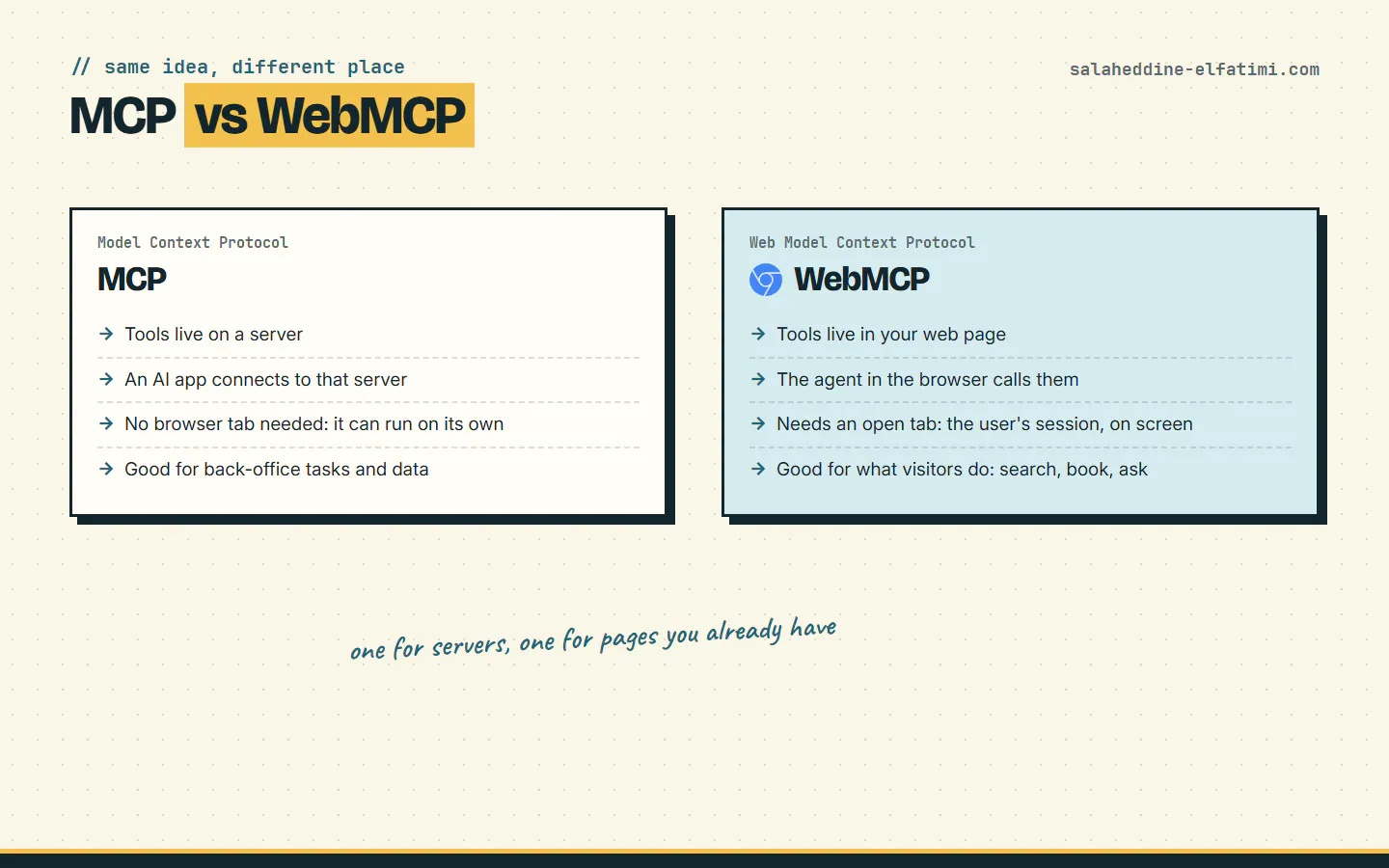
The practical difference: with WebMCP, a browser tab must be open. The agent works inside the visitor's own session, on screen, where they can see what happens. That's a feature, not a limit, for anything involving their account or their money.
How to add a WebMCP tool: two examples#
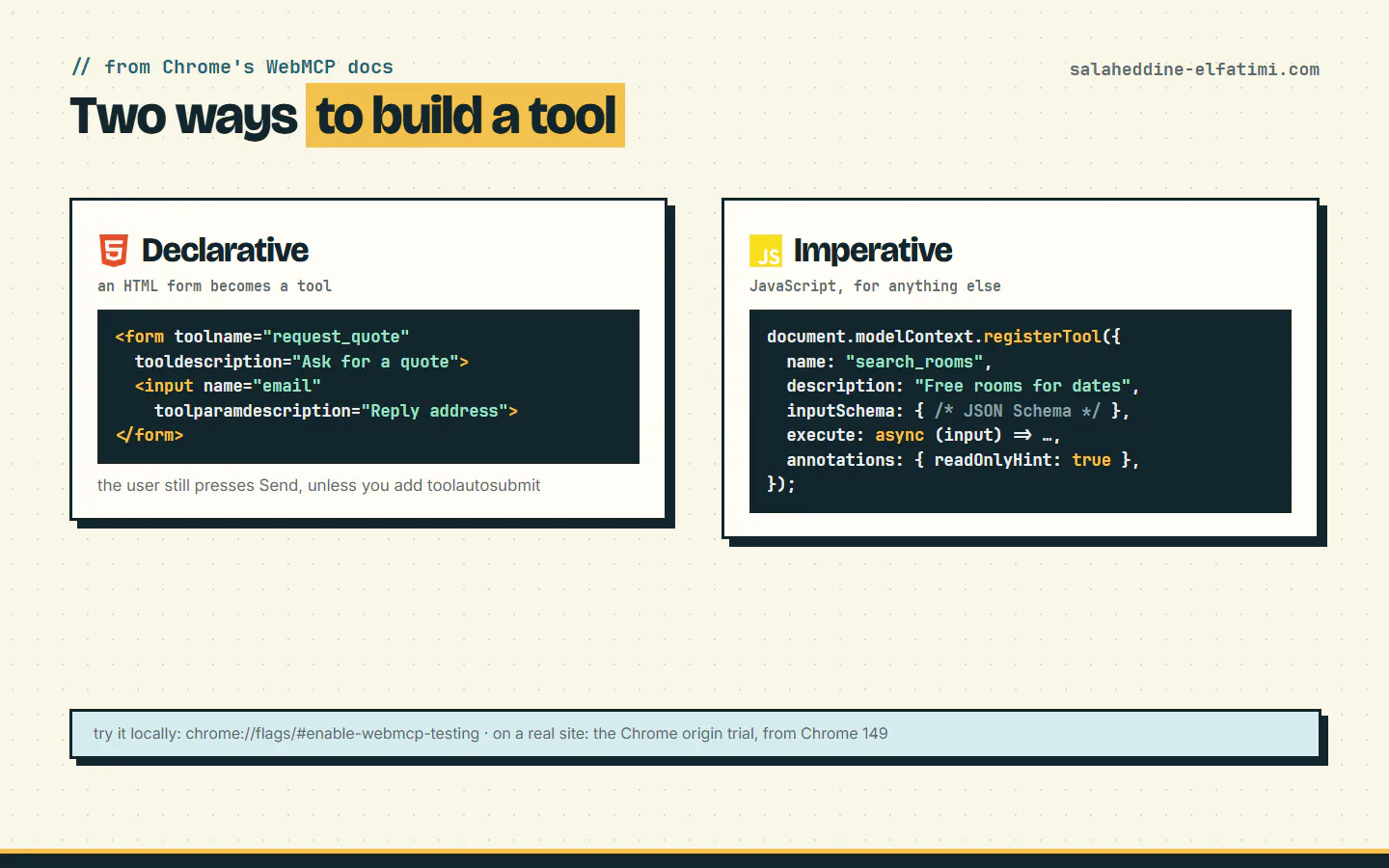
The declarative way uses attributes from Chrome's declarative API:
<form toolname="request_quote" tooldescription="Ask for a quote for a website or app">
  <input name="email" type="email" toolparamdescription="Where to send the reply">
  <textarea name="project" toolparamdescription="What the client wants built"></textarea>
  <button type="submit">Send</button>
</form>
Without toolautosubmit, the agent fills the form and the visitor still presses Send. When an agent submits, the submit event's agentInvoked is true, and CSS pseudo-classes like :tool-form-active let you show that an assistant is at work.
One thing I'd check on my own sites: many contact forms have a hidden anti-spam field that must stay empty. Make sure the fields an agent is asked to fill are the ones a person would fill, and nothing else.
The imperative way, in a Next.js (React) component, registers a tool when the page opens and removes it when it closes:
"use client";
import { useEffect } from "react";

export function RoomSearchTool() {
  useEffect(() => {
    const mc = (document as any).modelContext; // undefined where WebMCP isn't available
    if (!mc) return;
    const ctrl = new AbortController();
    mc.registerTool(
      {
        name: "search_rooms",
        description: "List free rooms for the given dates and number of guests.",
        inputSchema: {
          type: "object",
          properties: {
            checkIn: { type: "string", format: "date" },
            nights: { type: "integer", minimum: 1 },
            guests: { type: "integer", minimum: 1 },
          },
          required: ["checkIn", "nights"],
        },
        annotations: { readOnlyHint: true },
        execute: async (input) => {
          const res = await fetch("/api/rooms?" + new URLSearchParams(input));
          return JSON.stringify(await res.json());
        },
      },
      { signal: ctrl.signal }, // aborting the signal unregisters the tool
    );
    return () => ctrl.abort();
  }, []);
  return null;
}
The shape comes from Chrome's imperative API: name, description, inputSchema, execute, and optional annotations such as readOnlyHint or consequentialHint for actions that matter. Code you find online may use navigator.modelContext: early drafts put it there, so check the current docs before you copy.
To try it, turn on chrome://flags/#enable-webmcp-testing. On a real site, you join the origin trial from Chrome 149.
What WebMCP could change for businesses#
This is the part that matters if you run a business rather than write code. If assistants adopt it widely (a real "if"), your visitors' assistant could do the clicking for them:
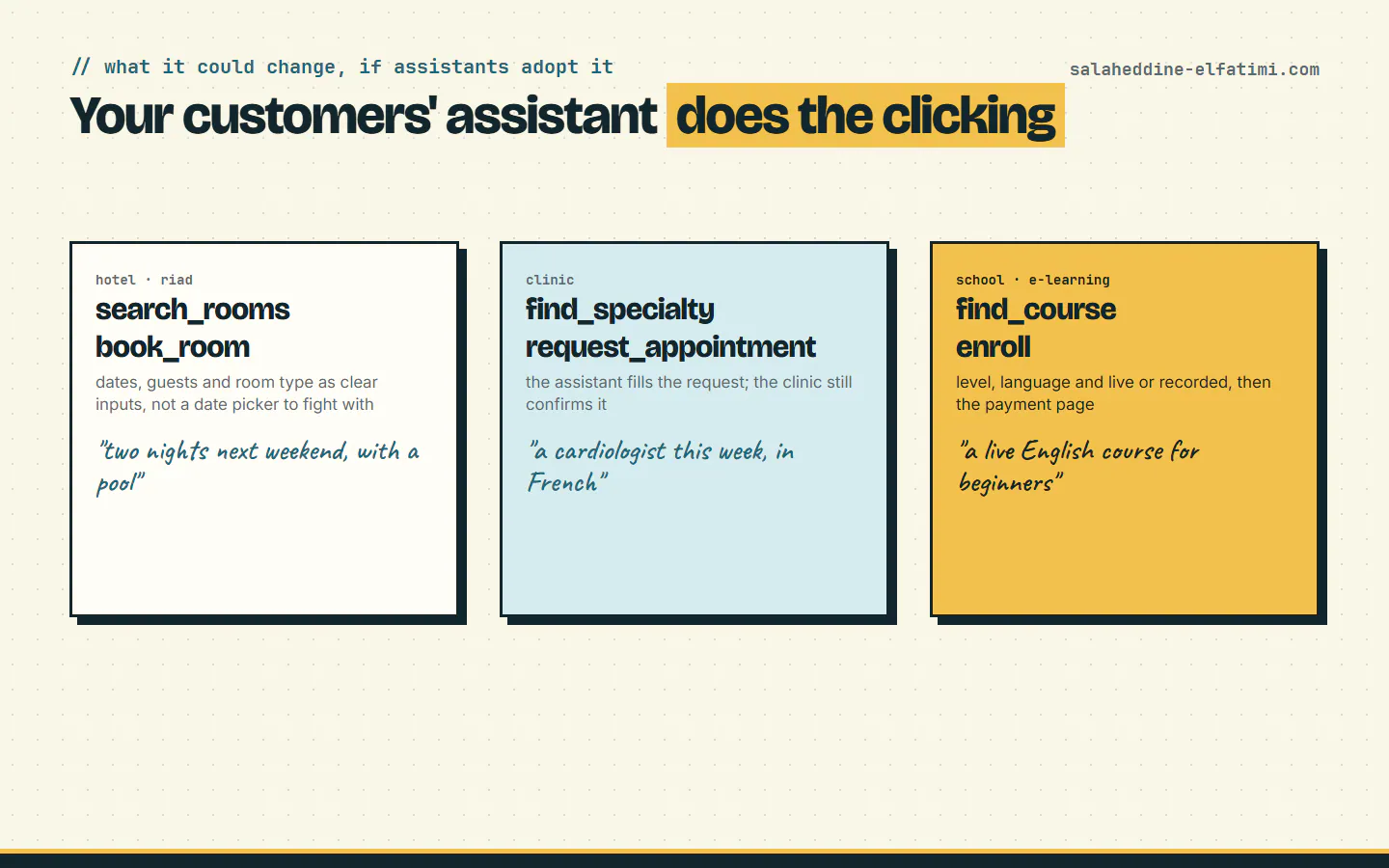
- Hotels and riads: "two nights next weekend, with a pool" becomes a call to
search_roomsandbook_room, not a fight with a date picker. It's the same logic as a page for everything you sell (in French): clear, named actions. - Clinics: an assistant fills an appointment request with the specialty and the day; the clinic still confirms it.
- Schools and e-learning platforms: an assistant finds the right level and language, then opens the payment page. Payments stay where they are, with the visitor confirming, as in a CMI or Stripe checkout.
My guess, and it's only a guess: the sites that are easy for assistants to use will get more bookings from them, the way fast, clear sites already win on Google. Being "usable by AI" could become a new kind of SEO.
What to do now (and what not to)#
- Don't rush it into production. It's an origin trial. The Webfuse guide notes that browser support is still narrow and there's no built-in way yet for an agent to discover which sites have tools.
- Write down the 2 or 3 things visitors come to do: book, ask for a quote, find a course. Those are your future tools.
- Keep that logic out of your click handlers. A booking function your button calls is easy to expose as a tool later. One buried in the UI means a refactor.
- Keep forms clean: real labels and field names, validation on the server, and no silent auto-submit for anything that costs money.
- Try it locally with the Chrome flag on a copy of your site, and see what an agent makes of your forms.
The ecosystem is moving: this month, WordPress Playground added WebMCP support, with the note that a plugin still has to wrap each WordPress feature in a WebMCP tool.
Want your site ready for AI assistants?#
If you run a hotel, a clinic, a school or any site where people book, buy or ask for a quote, I can look at which actions would make good tools and prepare your site for them without breaking what works today. Tell me about your site, or see what I've built. If you're weighing a bigger platform, here's how I price one.
Frequently asked questions
What is WebMCP?+
WebMCP is a proposed web standard from the Web Machine Learning community group that lets a website expose actions, such as searching rooms or requesting a quote, as tools an AI agent in the browser can call with structured inputs.
What is the difference between WebMCP and MCP?+
MCP connects AI applications to tools running on a server. WebMCP exposes tools from a web page, so an agent in the user's browser can call them inside the open tab, in the user's own session.
Which browsers support WebMCP?+
Chrome offers WebMCP through an origin trial starting with Chrome 149, and it can be tested locally with the chrome://flags/#enable-webmcp-testing flag. Other browsers haven't shipped it.
Should I add WebMCP to my website now?+
Not in production yet for most sites: it's a trial and support is narrow. Start by identifying the two or three actions visitors come to do, keep that logic separate from the UI, and test WebMCP locally.
Written by
Full Stack Developer & Web Marketer · Marrakech, Morocco
I build modern, scalable web applications end to end, from frontend to backend, with a focus on performance, clean code and user experience.